


marimo 0.19.0 is now available. Install with
pip install --upgrade marimoThis release. 0.19.0 dramatically simplifies marimo’s user interface, paring the sidebar down to the essentials and minimizing visual noise; for advanced users we introduce a Developer Panel with specialized debugging tools.
This release also includes many other new features, including support for pytest fixures, composition of notebook apps, and greater coverage of reactive Plotly figures.
#A simplified user interface
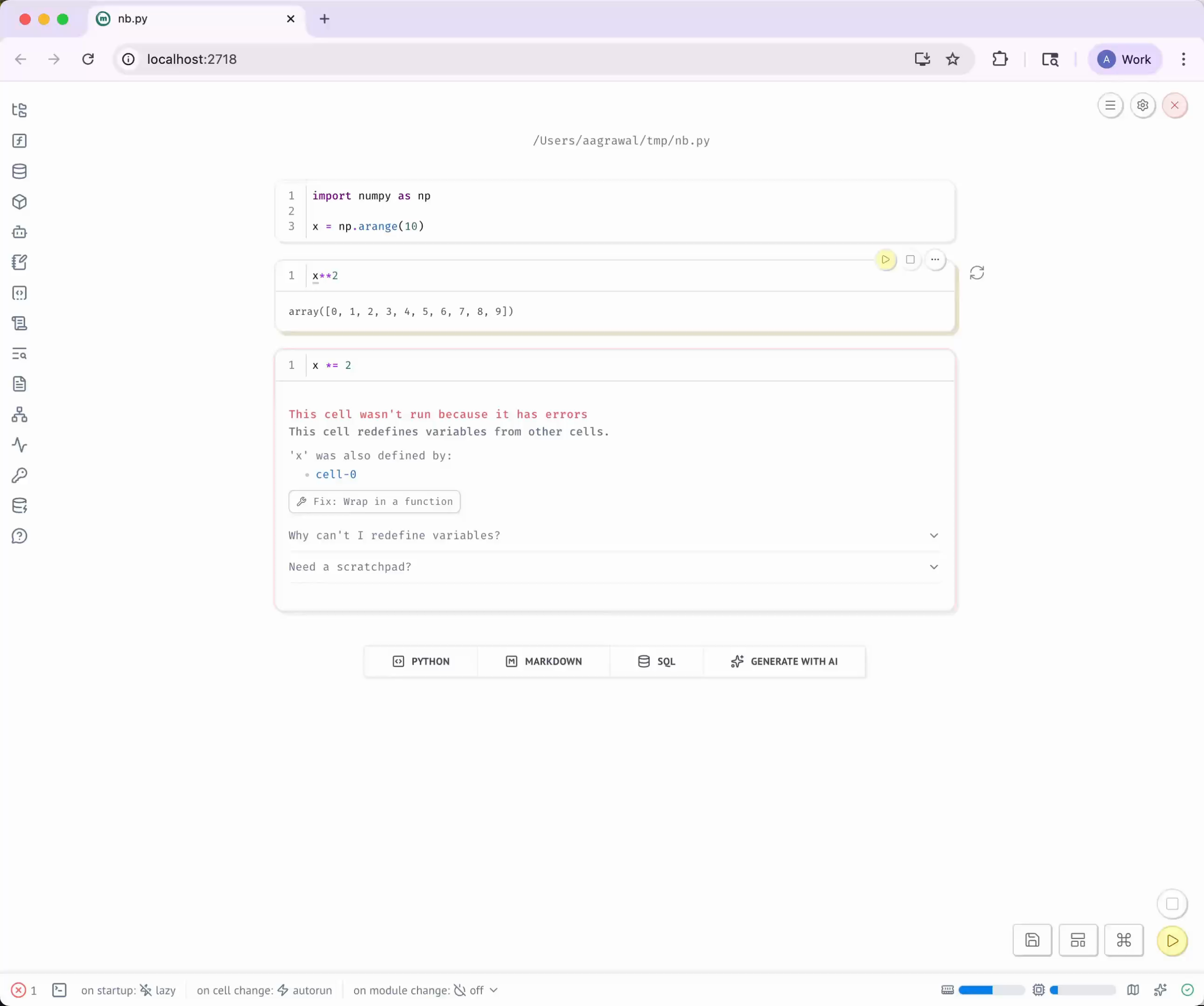
We’ve simplified our user interface so you can focus on your data and algorithms without distraction. Toggle through the images below to see a before-and-after comparison.
0.18.4
0.19
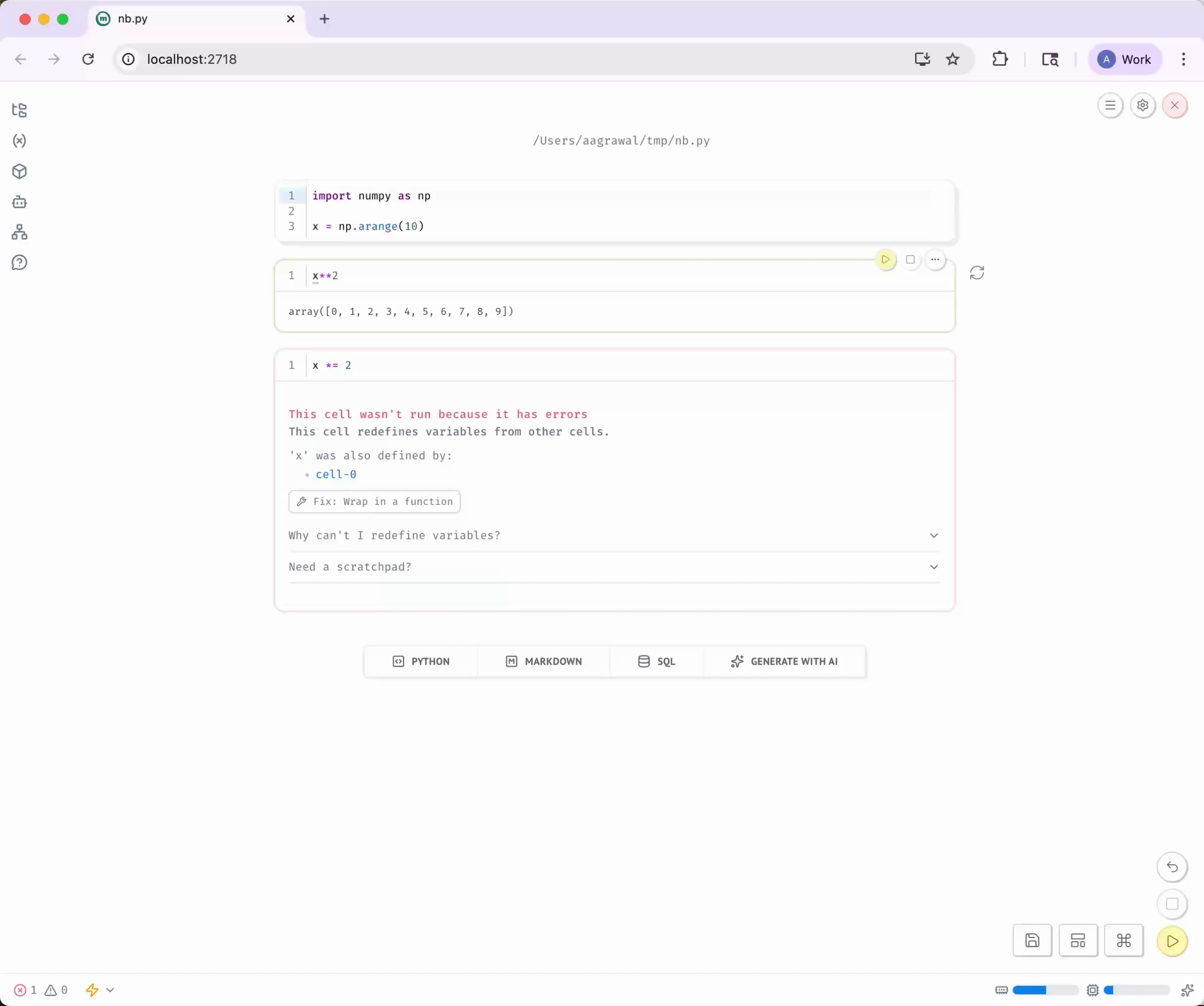
Back to the basics. Over 300+ releases, marimo accumulated many advanced features for inspecting and configuring notebooks. While our power users derive great value from these features, we recognize that presenting them as prominently as essential tools can overwhelm users — beginners and veterans alike.
0.19.0 pares the sidebar to just the essential panels: the file explorer, variable viewer (which now includes data sources as a special case), package manager, and a few others. If that’s still too many for you, right-click to remove the panels you don’t want to see.
A new dependencies viewer. The notebook Minimap has been promoted to the sidebar, providing a compact overview of your notebook’s structure. The classic graph view remains available via a toggle.
The Developer Panel. This release introduces a dedicated Developer
Panel at the bottom of the editor, similar to VS Code’s panel or browser
DevTools. It houses specialized tools like the terminal, logs, tracing, and
scratchpad. Toggle the Developer Panel with Cmd/Ctrl + J or via the footer.
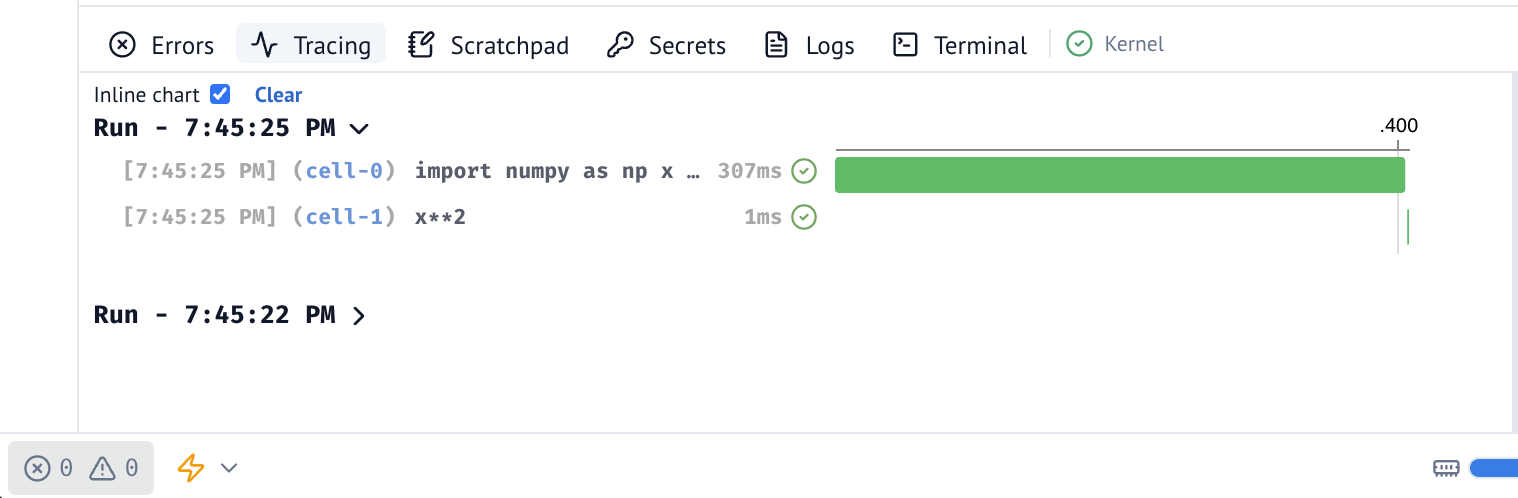
Power users can open the Developer Panel when they need deeper visibility into execution or want a scratchpad for experimentation. Panels can be freely moved between the sidebar and Developer Panel—just drag them where you want.
Consolidated runtime configuration. The footer menus that previously allowed for runtime configuration are now consolidated into a menu accessible via the zap or lightning bolt icon in the footer. The icon color lets you know at a glance whether your runtime is reactive or entirely lazy.
A lighter visual design. We’ve lightened styles while retaining personality: ambient shadows on cells are removed, hover styles are reduced to just a border, and the layout shift on cell focus is gone entirely.
#pytest fixures
0.19.0 adds support for pytest fixtures
marimo has first-class support for pytest. For educators, this is a simple and reliable way to provide test cases for student assignments. With fixtures, which provide consistent and reusable contexts for tests, testing in notebooks is even easier.
#App composition
marimo lets you embed notebooks in other notebooks using the
app.embed() API. This
advanced feature lets you treat small notebooks as reusable apps.
0.19.0 makes it possible to parametrize an app’s run, allowing you to substitute variables defined in the outer app for variables defined in the inner app:
from my_notebook import app# my_notebook defines a variable `x`; here we
# replace it with another value
result = await app.embed(defs={"x": 1})
result.outputTips.
- For more information, see our documentation.
- Instead of reusing the entire
app, in most cases you should prefer reusing functions or classes defined in the inner notebook (from my_notebook import my_function). See our documentation on reusing functions and classes.
#Reactive Plotly plots
This release adds reactive execution to Plotly bar charts and heatmaps when using
mo.ui.plotly.
Big thanks to Florian Verdonck (@nojaf) for the contributions!
#Other improvements
This release includes many other enhancements and bug fixes, such as:
- You can now use Pydantic AI
with
mo.ui.chat. - macOS users can now use
Ctrlinstead ofCmdfor cell shortcuts, such asCtrl+Enterto run a cell
See our release notes for the full changelog, covering 200+ commits.
#Contributors
Thanks to all our community and contributors who made this release possible:
@akshayka, @andrewsoonqn, @corleyma, @dmadisetti, @koaning, @Light2Dark,
@m-rgba, @majiayu000, @manzt, @mscolnick, @nojaf, @prateek, @thliang01
And especially to our new contributors:
@lmReefmade their first contribution@vavavavavavavavavamade their first contribution@dmayilyanmade their first contribution@shunichironomuramade their first contribution@majiayu000made their first contribution@Ddfultonmade their first contribution@prateekmade their first contribution@m-rgbamade their first contribution@heizerbalazsmade their first contribution@corleymamade their first contribution@andrewsoonqnmade their first contribution
We’re grateful for every contribution, from code to documentation to bug reports. Thank you for helping make marimo better!